BS"D
BS"D
Raising kids who shine.
Healthy tech habits for kids and teens.


 Younger grades
MUST
Families in a class make one pact.
Start a class pact
 Teens
The Club
Teens spend a year with their friends.
Open The Club
 Every family
Tools
House rules, filters, and ideas that hold up.
Open the toolbox
 Celebrations
Gifts
Birthday ideas kids actually like.
See gift ideas
Coverage
Press
See what other schools have done.
Read the coverage
Questions
Contact
Write or call. We will help you start.
Contact the team
to recharge.
A completely parent-run initiative where teens commit to a year without smartphones or social media — and get trips, giveaways, recognition, and a community of girls doing it together. Everything on these tabs is what we actually used, ready for you to copy.
Start here: watch the walkthrough
This recording explains this entire toolbox — please watch before exploring further.
▶ Watch the Zoom recordingBefore you start
Two basics need to be in place for The Club to work in your community.
Parent organizers
2–3 dedicated, organized, and passionate parent organizers for the grade.
School partnership
- All trips, merch, etc. happen during school hours
- The school needs to agree to trips — and trips must abide by the school's Tznius standards
Launch presentation
The slide deck for introducing The Club to a grade. Add your school name and logo, present it full screen, or download a PowerPoint.
Open the launch presentation →Email templates
Type your school details once. The emails below fill in as you type. Copy the subject, the body, or both. This stays on your computer. We do not send it anywhere.
Year 1 · Launch
Launch emailIntroduce The Club▶
Dear parents of [Grade] at [School name],
Too much time on smartphones can affect sleep, mood, focus, and time with friends. As parents, we want to slow that down. Doing it alone is hard, because no student wants to be the only one.
We are starting The Club at [School name]. It is a parent-run year. Students who join agree to this commitment: [Club rules]. The year begins on [Start date].
The incentive this year: [Incentive]. [How the incentive works]
- We will walk students through the idea at school and share the presentation with you.
- When your family is ready, complete the parent sign-up form from the school.
- Join the parent meeting on [Meeting date]. We will explain how it works and answer questions.
We look forward to partnering with you.
[Contact name]
[Contact email]
[Contact phone]
Meeting reminderParent meeting▶
Dear [Grade] parents,
The Club is off to a strong start at [School name]. Students heard the presentation, talked about smartphones and friendships, and many turned in signed agreements. Some are giving up social media to join.
Please join us on [Meeting date]. We will cover how a student joins, what members receive, and how you can support them.
The commitment is: [Club rules].
The incentive: [Incentive]. [How the incentive works]
If you are ready, complete the parent sign-up form from the school.
[Contact name]
[Contact email]
[Contact phone]
If you missed the first note, here it is again: The Club is a parent-run year without smartphones or social media, starting [Start date].
Deadline reminderLast day to join▶
Dear parents of [Grade],
Thank you for the response so far. Today, [Deadline], is the deadline to join The Club at [School name].
Parents: if you have not signed up yet, use the parent form from the school.
Students: if someone is out today, print the pledge, sign it, and send it to [Contact email].
Both a parent and the student need to sign. The commitment is: [Club rules].
Many families asked about a phone that is not a smartphone. A basic phone for calls and texts can work. Some need a filter from your local filter office before they are allowed. Ask us if you want the current list.
[Contact name]
[Contact email]
[Contact phone]
Year 2 · Continue
Year 2 invitationInvite the grade again▶
Dear [Grade] parents,
We are grateful to be closing the first year of The Club at [School name]. Students who stayed with it showed real strength. The Club will continue.
Today we present Year 2: why it matters, and this year’s incentive. [Incentive]. [How the incentive works]
Everyone is invited, including students who were not in Year 1. The commitment is: [Club rules], starting [Start date].
Please complete the parent form if you want your student to join. We would like your ideas, too.
If a basic phone would help, we can share options. Some need no filter. Others need to be filtered by your local office first.
[Contact name]
[Contact email]
[Contact phone]
Deadline reminderYear 2 sign-up▶
Dear [Grade] parents,
We hope the break treated you well.
Commitment forms for The Club are due [Deadline]. Members will receive: [Incentive]. [How the incentive works]
The commitment is: [Club rules]. Students who missed Year 1 are still welcome.
We are happy to answer questions.
[Contact name]
[Contact email]
[Contact phone]
Year 3 · Relaunch
Relaunch emailRules for the next year▶
Dear students and parents of [Grade],
As we begin another year of The Club at [School name], we want a healthier relationship with technology while students grow more independent. Members can take part in activities during the year. Students who keep the commitment from [Start date] through the end of the year earn: [Incentive]. [How the incentive works]
Please join whether or not you were in The Club before. The commitment is: [Club rules].
Why we do this
- Constant group chats create pressure to always be available.
- Notifications break concentration.
- Heavy social media use tracks with more comparison and lower mood.
- Late-night screens cut into sleep.
- Feeds are built to keep people scrolling.
- Time online often replaces time with people in the room.
- A private device can open the door to content a family does not want.
The phone should be a tool for calls and practical needs, not a second social life. To keep the group consistent, custom side deals are not part of The Club. Use one of the two paths below.
Option 1: A simple phone. These are built to be boring. Some type on a touch screen. Some include maps for drivers. Examples families use: Fig Phone, Sunbeam, Pom, Light Phone, Punkt, and a basic kosher flip phone. No phone is also fine.
Option 2: A managed smartphone. If a family needs a familiar device, it can be limited to a short list of apps through a managed setup such as kPhone. The hardware is still built to pull attention, so this path needs a clear rule. The school installs the management. Parents pay the service fee. Preparation steps are in the note under this email.
Messaging. Personal WhatsApp is not part of The Club. Status, channels, and ads turned it into another feed. Members can text with the phone’s regular messages.
Not allowed on any device, including tablets, computers, and watches: TikTok, Instagram, Snapchat, Facebook, X, Pinterest, BeReal, Discord, and WhatsApp.
Questions families ask
Can we join if we already had a smartphone or social media? Yes. The commitment starts fresh.
How long is it? One year, from [Start date].
How do we join? The school will send the parent form and the student form.
More questions? Join the meeting on [Meeting date].
Talk through the phone options as a family and pick the one that fits. We hope your student will join us.
[Contact name]
[Contact email]
[Contact phone]
To install a managed setup such as kPhone, Face ID or the passcode, and Find My, must be turned off. After installation you can turn them back on. If they are still on when the phone arrives, the phone cannot be set up that day.
Remove other filters first. Screen Time does not need to be turned off.
On iOS 17.3 or later, also turn off Stolen Device Protection, then turn it back on after setup. Check the version in Settings, General, About.
Stolen Device Protection: Settings, Face ID & Passcode, Stolen Device Protection, turn it off. If a security delay is required, follow the on-screen steps.
Passcode: Settings, Face ID & Passcode, Turn Passcode Off.
Find My: Settings, your name, Find My, Find My iPhone, turn it off, then confirm with the Apple ID password.
Questions about kPhone: +1-833-856-7437 · support@kphone.org
Sign-up follow-upSend the forms▶
Dear parents,
Here are the forms to join The Club at [School name] for [Grade].
Students: use the student form from the school.
Parents: use the parent form from the school.
The commitment is: [Club rules]. Forms are due [Deadline].
[Contact name]
[Contact email]
[Contact phone]
Presentations
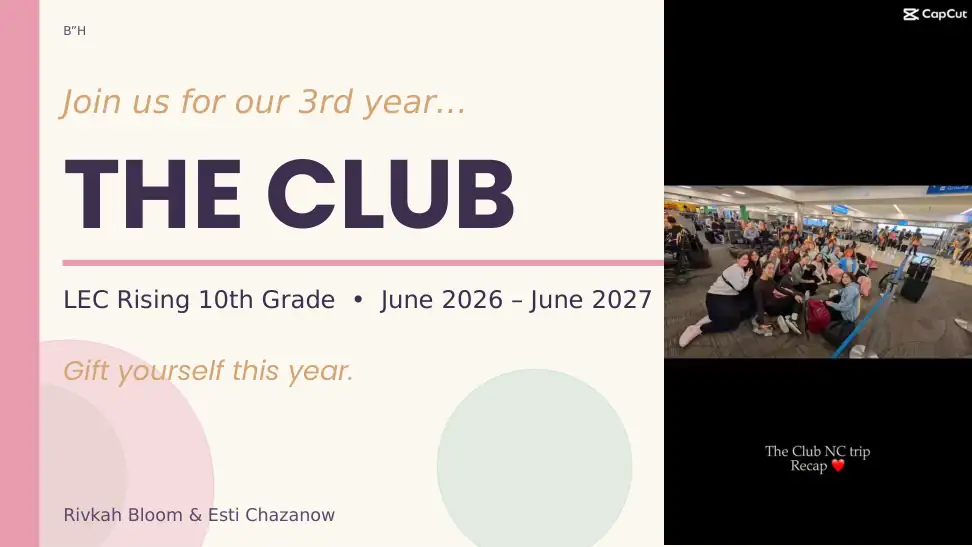
One presentation per year. The 7th and 8th grade decks are on Canva — copy each one and make your own version, updating dates, links, and school details. The 9th grade presentation is embedded slide-by-slide below; for the editable file, reach out via the WhatsApp support group (see the Contact tab).
Launch presentation
The deck for launching The Club with a new grade. Put your school name and logo on the slides, then present or download an editable PowerPoint. It all stays in your browser.
Open the launch presentation → Canva7th Grade Presentation (Year 1)
The original launch presentation. Copy and make your own version — update the last 2 slides. Ideally presented by parents. In South Florida? We're happy to help present or provide support.
Open in Canva → Canva8th Grade Presentation (Year 2)
The Year 2 re-commitment presentation — revisits the "why," celebrates Year 1, and introduces the year's rewards and grand trip. Copy and adapt.
Open in Canva →9th Grade9th Grade Presentation — The Club for the girls (Year 3)▶
Marketing
The Club's logo and promo videos — for WhatsApp groups, parent presentations, and spreading the word.
The Club Logo
Use on all WhatsApp chats and materials associated with The Club.
Why We Joined The Club
Created by Molly Schwartz, a 7th grader at Lubavitch Educational Center, Miami, who is part of The Club.
Watch video → Promo videoOur First Club Trip
A student's-eye view of the first trip — great for parent WhatsApp groups.
Watch video → Promo videoCombined Promo Video
Both videos above combined into one — ideal for presentations.
Watch video →Incentive ideas
Everything The Club has actually done, year by year. The pattern that works: announce the grand trip at signup as the anchor incentive, add a mid-year trip to keep momentum, and sprinkle in small, visible perks at school so the whole grade sees Club membership being celebrated.
Building the habit
- Special Club lunches & pizza parties during school
- Waterskiing trip
- Sushi & pizza party
- End-of-year gift delivered to every member: a luggage tag + chocolates
- Recognition in the school newsletter and community press
The grand-trip year
- Fall trip (November): snorkeling & boating in the Florida Keys — coral reef, nature hike, and a beach picnic
- Mid-year: Club lunch at school (a cozy corner like the Geulah Cafe works — visibility creates buzz)
- Grand Trip (May): 3 days in North Carolina — Carowinds (home of the Fury 325), whitewater rafting at the U.S. National Whitewater Center, mountain biking, high ropes & zip lining, a 5-mile greenway hike, and Shabbos together in Charlotte
- Trip costs offset by community donors — several families sponsored at the $1,000 level through the school
The plan going forward
- Mid-year trip (targeting November) — a full-day adventure to keep the group connected
- End-of-year Grand Trip to the North Carolina mountains & waterfalls, earned by every member who completes the full year's commitment
Why this mix works
- The grand trip named at signup gives girls something concrete to commit to
- A fall/mid-year trip re-energizes the group before the finish line feels close
- Small in-school perks (lunches, treats, newsletter shout-outs) keep The Club visible to the whole grade — that's how it grows
- Partner with the school on scheduling, waivers, and attendance overrides early
Need a hand?
We're here to help you bring The Club to your community.
Make a class pact.
MUST unites parents to postpone the age at which children are allowed personal ownership of smart devices. When the mothers of a class join together, the peer pressure disappears — and kids thrive without the distractions and dangers of smart devices.
It's simple… but life-saving
Become a Class Ambassador
One mom steps up for her child's class. That's you.
Get the class mothers on board
Share the initiative — with everyone in, no child is "the only one."
Register your class
Join the growing list of classes from schools around the world.
Doing a whole school? Appoint a School Coordinator, who appoints an Ambassador per class — Ambassadors take a short training and bring their class parents on board.
Letters you can send Parent notes Type your class once. The notes fill in. Open the templatesWatch first
Ambassador training video
Before presenting MUST to classes, watch the training — everything an Ambassador needs to know.
Watch the training → ▶ 2-minute introAbout the MUST program
Curious before jumping into the training? A short overview of what MUST is and why it works.
Watch the overview →Jump in
Become a Class Ambassador
Reach out to MUST (contact below) to sign up as your class's Ambassador — you'll receive the training and ready-made materials for presenting the pact to the mothers in your class.
Get the class mothers on board
Share the initiative with the mothers in your class — when everyone is in, no child is "the only one," and the peer pressure disappears.
Register your class
Once your class mothers are on board, contact MUST to make it official and add your class to the worldwide list.
Parental controls & filters
Free and low-cost tools to manage devices your family already has.
Google Family Link
Set daily screen-time limits, approve app downloads, see location, and lock a device remotely.
families.google.com/familylink →Apple Screen Time
Built into every iPhone and iPad — set downtime, app limits, content filters, and communication limits. Requires Family Sharing setup, found in iOS Settings.
Router-level internet controls
Tools like Circle Home Plus or your provider's app (e.g., Xfinity) filter ALL devices on your WiFi — including smart TVs and gaming consoles — and can set internet "bedtimes."
meetcircle.com → Frum familiesTAG office
Helps families put filters on phones and computers. South Florida: 561-614-4686 · info@tagsouthflorida.org. Make an appointment — they'll set you up.
tagsouthflorida.com →kPhone
A service that configures an iPhone via Apple's device management, limiting it to a basic set of apps. $10 install + $10/month. Sign up at kphone.org · support 833-856-7437 (24/6).
Research every app & game
Spotify serves music videos you may not want; some games normalize violence or worse. Check Common Sense Media reviews before saying yes.
commonsensemedia.org →Screen-free & kosher devices
Standalone devices that give kids music, stories, and reading — without a screen or an internet rabbit hole.
24six & Naki Radio
Kosher music and radio on dedicated devices — the soundtrack without the smartphone.
Yoto Player & Toniebox
Screen-free audio-story players kids control themselves — beloved by younger children.
Basic Kindle
Reading only, no apps — a library in their hands without the pull of everything else.
Minimalist & kosher phones
Fig Phone, Sunbeam (both with keyboard & Waze), Pom, The Light Phone, Punkt MP02, Kasher ViYasher, Pomegranate — phones for calling and texting without the pull of a smartphone.
A dedicated shared phone
Add a landline through your internet provider or Google Voice, or keep a basic flip phone kids can borrow when needed — it removes the "but I need a phone" argument.
Screen-free gift guide
Our full guide to gifts that genuinely excite kids — no internet required.
Browse the gift guide →House rules that work
Six practical rules from the presentation — small changes, big results.
No phones at the table
Meals are sacred connection time. One basket, everyone in — parents too.
Phones charge outside the bedroom
No devices after bedtime. Sleep is the single most impactful change you can make.
Delay smartphones & social media
Haidt's core recommendation for teens — a basic phone for calls is enough.
Screen-free mornings
First hour of the day, no screens — set the tone for focused, present living.
You model what they learn
Put your phone away when talking to your child. They are watching you.
Shalom bayis first
Don't make tech the battle that consumes your relationship. Be strategic, not reactive.
Go deeper
The research and reading behind all of this.
The Anxious Generation — Jonathan Haidt
The definitive case for delaying smartphones and social media — and the collective-action solution both our programs are built on.
Stolen Focus — Johann Hari
Why attention is collapsing — for adults too — and how to reclaim it.
Haidt on smartphones & childhood
Jonathan Haidt with Bari Weiss: "Smartphones Rewired Childhood — Here's How to Fix It."
Listen →Raising Kids in a Digital World
The research on smartphones and kids — screen time, attention, mental health, and the legal verdicts — followed by practical solutions at home, in school, and as a community. Embedded slide-by-slide below; adapt freely for a parent evening.
Raising Kids in a Digital World — for mothers▶

In the press
Share these with parents and school administrators as proof of concept.
Community Magazine: Summer 5786 — Raising Children in the Digital Age
LEC's special 40-page summer edition features raising children in the digital age — see pages 31–37 of the magazine (opens as a flipbook on the LEC site).
Read the magazine → CrownHeights.info · June 2026Chinuch Starts on the Homepage
The mothers of The Club at LEC share practical guidance for raising children in the smartphone age, from the LEC Community Magazine.
Summer 2026 Read article → COLlive · May 2026LEC High School Girls Celebrate Two Years Without Smartphones
32 Bais Chana Miami freshmen mark two years in The Club with the annual Grand Trip to North Carolina.
May 2026 Read article → Anash.org · November 2025Miami 9th Graders Opt Out of Smartphones, Social Media
Over half of the ninth grade at Beis Chana LEC pledges to live smartphone-free as The Club launches its high school chapter.
November 2025 Read article → COLlive · September 2024Club for Teens Without Smartphones or Social Media Expands
The Club grows beyond Miami — including a chapter at Bnos Menachem in Crown Heights adapted to its own community.
September 2024 Read article → COLlive · June 2024How Can We Get Our Teens to Put Down Their Phones?
The original launch coverage of The Club at Lubavitch Educational Center, Miami.
May 2024 Read article →Contact us
WhatsApp support group
For parents & educators looking to implement The Club — join the group and ask away.
Join the group →Mothers Unite to Stall Technology
📞 (929) 466-MUST (6878)
✉ mothersunite4kids@gmail.com
🌐 mothersunite4kids.org
🌐 MUST Crown Heights — must-ch.org
to buy that smart device.
Yes, it is possible to get cool gifts that will excite your kids — no internet required. From kitchen enthusiasts to fashionistas, thrill seekers to inventors: pick their personality below.
Kitchen enthusiasts
- Kids' cookbooks
- Group cooking or baking lesson for your child and friends
- Fun shaped cookie cutters
- Smoothie maker
- Shaved ice machine / snow cone party station
- Popcorn maker
- Cookie press / icing gun
- Electric s'mores maker
- Fondue set
- Pizza box oven (Sharper Image)
- Waffle maker
- Hot cocoa maker
- Customized apron or personalized chef's jacket
Sports fans
- Basketball, football, or soccer ball
- Hockey stick, net, goalie pads & equipment
- Spikeball set
- Customized sneakers (Nike By You)
- Favorite team jersey or cap
- Tickets to a game
- 2-player arcade basketball game
- Foosball, air hockey, billiards, or ping-pong table
- Over-the-door indoor basketball hoop
Activity & thrill seekers (safety gear recommended!)
- Infrared laser tag set (Sharper Image)
- Scooter or electric scooter
- Bike
- Hoverboard, skateboard, roller blades
- Ice skates & hockey gear
- Portable badminton
- Outdoor trampoline
- Family outing to an ice-skating rink
- Gift card to an escape room
- Gift pass to rock climbing
- Remote-control bumper cars or wall-climbing RC car
- Snorkeling kit
- Pogo stick
The budding artist
- Airbrush paint set
- Colored pencil set / art kit
- Fashion Plates design sets
- Crayola light-up tracing pad
The fashionista
- Fun gloves, scarf, hat, or funky earmuffs
- Jewelry or a watch
- Sunglasses
- Warm boots (Uggs) or sparkly slippers
- Pajama set / puffer vest / monogrammed bathrobe
- Monogrammed travel bag, pouches, or personalized luggage
- Custom sweatshirt (studded emojis, monograms)
- Photo shoot for your child and friends
- Manicure kit or mani/pedi gift certificate
- Purse, tote, wallet, or wristlet
- Perfume
The well-dressed gentleman
- Cuff links or a neck tie
- Fun gloves, scarf, or hat
- Warm slippers or moccasins
- A watch
- Motorized tie rack
- Sunglasses
- Puffer vest or heated vest/gloves
- Cologne
The musician
- Guitar, keyboard, or another instrument
- Recording equipment & microphone
- Karaoke machine
- Beanie or earmuffs with built-in headphones
- Drum pad studio or electronic drum mat
- Giant piano mat
The inventor & creative play
- A nice writing pen
- 3D pen (for creating 3D objects)
- Jewelry-making kit
- Klutz window art kit
- Magna-Tiles
- Clics & Play Stix
- Dolls
- LEGO sets
- PLAYMOBIL sets
- Magic set
- Illuminated building bricks
- Microscope or telescope
- Polaroid camera
- Needlepoint, crochet, or knitting project
Safe electronics (no internet required)
- Drone (non-internet models)
- Remote-control car or helicopter
- Nintendo NES Classic Edition mini console
- MP3 player without internet/WiFi (or underwater MP3 for swimmers)
- Camera — with or without photography classes
- Fitness tracker (without internet)
Screen-free audio & reading
- Yoto Player & Toniebox — audio-story players kids control themselves
- Naki Radio & 24six — kosher music and radio
- Basic Kindle — reading only, no apps
- Subscription to a kids' magazine
- Books, books, books
Board games (kid-tested & approved)
- Cover Your Assets (thumbs up from ALL ages!)
- Slapzi · Dr. Eureka · Spot It · Anomia
- Bananagrams · Taboo · Pictionary · Bubble Talk
- Rush Hour (ThinkFun) · Spy Alley · Stratego · Perpetual Commotion
- Risk · Clue · Monopoly · Pay Day · Life · Skip Bo
- Malarky · Pic Wits · Flapadoodle · Word Quest
Miscellaneous
- Cool headphones — from earbuds to noise-canceling
- Deluxe umbrella (monogrammable)
- Gift cards to stores they like
- DIY coupon/voucher book ("Choose what's for dinner", "mid-week Slurpee"...)
- Personalized note cards and stationery
- Custom bobblehead
- Travel mug or sports bottle
- Sweatshirt with built-in headphones
- Quickflip — a sweatshirt that turns into a backpack
This list is for recommendation purposes only — always vet products for your own family.
Launch presentation
This is the deck for introducing The Club to a grade. Type your school name, and a grade and contact name if you want them. Add a logo if you have one. The slides update on this page. Nothing you type or upload is sent to a server. It stays in your browser.
That page is not on this site
The address does not match a section of Healthy Tech Kids. Head back to the homepage to choose MUST, The Club, or Tools & Resources.
Parent and organizer notes
These notes use the same details you typed for The Club. They stay on this computer. We do not send them anywhere. Empty spots stay in brackets.
To parentsInvite the class▶
Dear parents of [Grade] at [School name],
I am the class ambassador for MUST, Mothers Unite to Stall Technology. When the families in a class agree on the same plan, no child has to be the only one without a smart device.
The pact we are asking this class to make: [Club rules].
Please come on [Meeting date] so we can walk through it and answer questions. We hope to have the class decided by [Deadline].
One family cannot fix the peer pressure alone. A whole class can.
[Contact name]
[Contact email]
[Contact phone]
ReminderMeeting reminder▶
Dear [Grade] parents,
A reminder that we are meeting on [Meeting date] to decide on a MUST pact for our class at [School name].
Proposed commitment: [Club rules].
If you cannot attend, reply to [Contact email] and tell us where you stand. We want every family in the conversation.
[Contact name]
[Contact phone]
To parentsThe class is in▶
Dear parents,
Thank you. [Grade] at [School name] is joining MUST.
What we agreed: [Club rules].
I will register the class with MUST. If a family is still unsure, please talk to me before [Deadline]. The pact works when the class stays together.
[Contact name]
[Contact email]
[Contact phone]
OrganizerNote to the school▶
Hello,
I am stepping up as the MUST class ambassador for [Grade] at [School name]. MUST asks one parent per class to invite the other families into a shared pact to delay smart devices.
The commitment I will propose: [Club rules].
I will host a parent conversation on [Meeting date] and hope to register the class by [Deadline]. If the school wants a coordinator for every class, I am glad to help find them.
[Contact name]
[Contact email]
[Contact phone]
OrganizerWhat to say at the meeting▶
For the [Grade] parents at [School name]:
- One family cannot remove the peer pressure. A class can.
- MUST is parents agreeing to wait on personal smart devices.
- The pact for this class: [Club rules].
- I am the ambassador. My name is [Contact name]. Reach me at [Contact email] or [Contact phone].
- We will decide by [Deadline], then register the class.
- A whole school works the same way: one coordinator, then one ambassador per class.